Choose Shared AI Around Your Team’s Real Work
A shared AI tool needs to do more than produce a convincing answer. Your team also needs a practical way to share assistants, manage knowledge and control access. This LaunchLemonade vs Dust comparison looks at those decisions through the work your team actually needs to complete.
Quick Answer
LaunchLemonade vs Dust is a choice between different approaches to shared AI. LaunchLemonade suits teams exploring no-code assistants and explicit sharing. Dust is worth considering for connected knowledge and shared project workspaces. The better fit depends on your workflow, permissions and budget.
Summary
LaunchLemonade is a no-code platform for building and sharing AI assistants and workflows with teams. Dust offers custom agents, connected data and collaborative workspaces. Compare both against the same tasks, access requirements and expected usage before choosing.
What This Guide Covers
- How each product approaches shared assistants and team knowledge
- Where LaunchLemonade and Dust may fit different team needs
- Questions to ask about permissions, pricing and usage
- A practical scorecard and pilot process for making the decision
What Is Shared AI for Teams?
Shared AI for teams is software that lets colleagues use AI assistants and relevant knowledge to support common work. A useful shared setup also makes responsibilities clear: who can use an assistant, who can change it, and which information the assistant can access.
The goal is not simply to give everyone an AI subscription. It is to make useful work repeatable without losing control of the context behind it.
For example, a support team might want colleagues to use the same assistant when drafting responses from approved guidance. An operations team might need a shared assistant that helps people find internal processes. In both cases, the assistant’s instructions and access matter as much as its writing ability.
In LaunchLemonade vs Dust, both products support custom AI assistants, but their collaboration approaches deserve a closer look. LaunchLemonade’s available knowledge-base information describes explicit assistant sharing on paid Team plans. Dust’s documentation describes shared workspaces, data spaces and agent publishing controls.
What Does “Best” Mean in This Comparison?
There is no single best product for every team. This comparison uses five practical criteria:
- Assistant creation and sharing: Can the right people create, use and update assistants?
- Knowledge access: Can assistants work with the information your team needs?
- Collaboration: Does the product support the way colleagues work together?
- Governance: Can your team manage access and review important risks?
- Cost: Can you understand plan, usage and administration costs before committing?
Neither product has been independently tested for this article. The comparison uses the available LaunchLemonade knowledge base and Dust’s official documentation. Product details and plan availability can change, so confirm them before buying.
Tools at a Glance
| Tool | Best For | Key Strength | Key Limitation | Starting Price | Best Fit |
|---|---|---|---|---|---|
| LaunchLemonade | Teams exploring no-code assistants and explicit sharing | Share an assistant with a whole team or selected members on paid Team plans | Team sharing requires a paid Team plan; confirm current plan details | Check current pricing | Teams wanting to build assistants around defined tasks |
| Dust | Teams evaluating connected knowledge and shared project work | Combines custom agents with connected data and collaborative workspaces | Connector and governance availability varies by plan | Free tier listed; check current pricing | Teams that need to evaluate connected data and project collaboration together |
The table is a starting point, not a verdict. A feature matters only if it supports your team’s actual work and is available under the plan you intend to buy.
How Do LaunchLemonade and Dust Compare for Shared Work?
LaunchLemonade and Dust both let teams build AI assistants, but they organise shared work differently. LaunchLemonade’s documented Team sharing centres on explicit assistant access and edit rights. Dust combines agent publishing, data spaces and collaborative Pods. The best approach depends on whether your priority is sharing an assistant or managing a broader shared workspace.
LaunchLemonade: Explicit Assistant Sharing
LaunchLemonade is a no-code platform for building and sharing AI assistants and workflows with teams. Its available knowledge-base information says you can describe an assistant in plain language and edit the suggested instructions and configuration.
On paid Team plans, an assistant can be shared with the whole team or selected members. The documented sharing options include view-only or edit rights. Sharing is explicit, rather than automatic simply because someone belongs to a team.
That distinction is useful when an assistant has an owner. For example, a process lead might maintain its instructions while colleagues use it for routine questions. The lead should still decide how changes are reviewed and who is responsible for keeping the source material current.
Potential strengths:
- A no-code starting point for building and adjusting assistants.
- Explicit sharing with selected members or the whole team, with different access rights.
Fair limitations:
- The documented team-sharing capability requires a paid Team plan.
- The available source does not establish feature-for-feature equivalence with Dust’s Pods or every governance control. Confirm your required collaboration workflow directly.
Explore the LaunchLemonade teams platform if your first question is how to give colleagues access to assistants built around a defined task.
Dust: Agents Plus Collaborative Workspaces
Dust’s agent-building documentation describes custom agents with instructions, tools and knowledge. A published agent can be visible to workspace members who have access to its data sources. Agent editors can be designated separately.
Dust also offers Pods, shared workspaces that bring conversations, tasks and files together. Pod members can work with agents around a common goal. Open and restricted Pods provide different visibility options.
This structure may appeal to a team that wants the conversation and associated work to remain together. It also introduces decisions about Pod membership, agent access and the data available to each agent.
Potential strengths:
- Custom agents can use selected tools and connected knowledge.
- Pods provide a shared place for conversations, tasks and files.
Fair limitations:
- Teams need to understand how workspace, Pod, agent and data access interact.
- Connector counts and more advanced administration features depend on the plan. Check current availability.
Which Collaboration Model Fits?
Consider the work your team wants to repeat.
| Team Need | Question to Ask | Relevant Direction |
|---|---|---|
| Give colleagues a maintained assistant | Who can use it, and who can change its instructions? | Compare LaunchLemonade’s explicit sharing with Dust’s publishing and editor controls |
| Work together around a project | Where should conversations, tasks and files live? | Examine Dust Pods and confirm the LaunchLemonade workflow you need |
| Keep knowledge restricted | Which people and assistants may access each source? | Test both products with a restricted, non-sensitive example |
| Maintain consistent answers | Who owns the instructions and source documents? | Assign an owner regardless of product |
A shared workspace is not automatically the right answer for every team. Equally, sharing an assistant alone may not satisfy a team that wants project conversations and tasks organised together.
How Do Knowledge and Data Connections Differ?
Knowledge access determines whether a shared assistant can answer from material your team actually trusts. LaunchLemonade’s available documentation describes uploaded documents linked to assistants. Dust documents connected sources that administrators make available through company data or spaces. Evaluate freshness, permissions and source ownership before deciding which approach fits.
LaunchLemonade and Linked Documents
LaunchLemonade supports common document formats, including PDF, DOCX, XLSX, PowerPoint, TXT, Markdown, CSV, HTML and EPUB. The available knowledge base describes a limit of up to 50 MB per file. Check current availability and limits before relying on them.
When an assistant is linked to documents, LaunchLemonade searches relevant passages and supplies them as context for its response. This approach can be useful when a team has a defined collection of guidance, templates or reference material.
However, an uploaded document still needs an owner. If a policy changes, someone must know which assistant uses the older material and how that material will be updated. Ask how your intended sources are maintained before treating any assistant answer as authoritative.
Dust and Connected Sources
Dust’s connections documentation describes a two-part process: connect data, then make it available to users as company data or through spaces.
Administrators control which content is connected. Dust says connections sync automatically, while updates can take time to appear. Its documentation lists sources such as Google Drive, Notion, Slack and GitHub. As of November 2026, plan limits apply to connectors, so check the current plan.
Dust’s spaces documentation distinguishes open spaces from restricted spaces. Agents using a space’s data are available only to members with the relevant access.
That does not remove the need to test. A team should verify that the right people can use an assistant and that someone outside the intended group cannot access its restricted material.
Questions to Ask About Knowledge
Use the same questions for either product:
- Who approves a source before it is connected or uploaded?
- Who updates it when the underlying guidance changes?
- How quickly should a change appear in answers?
- What happens when two sources disagree?
- Can a reviewer identify the material behind a consequential answer?
- How will access be removed when a person changes roles?
For sensitive or regulated information, do not assume an assistant inherits every permission exactly as expected. Confirm the vendor’s current behaviour and your organisation’s requirements.
What Should Teams Check About Access and Governance?
Access controls help determine who can use an assistant, change its configuration and reach its source material. LaunchLemonade documents explicit sharing and edit rights for paid Team plans. Dust documents workspace roles, group permissions and restricted spaces. Neither description replaces a hands-on access test or a review of the applicable plan.
LaunchLemonade Sharing Controls
LaunchLemonade’s available knowledge-base information says assistant sharing is explicit. A team can share an assistant with selected members or the whole team, and grant view-only or edit rights.
That gives the team a starting point for separating use from maintenance. Before rollout, document which assistants are shared, who can edit them and who approves changes.
Also ask for current details about data access, auditability, retention and any controls required by your organisation. The available source does not establish every permission or compliance feature needed for every buyer.
Dust Roles, Groups and Spaces
Dust’s workspace governance documentation describes Admin, Manager and Member roles. It also describes group-based permissions for specific capabilities.
For example, a team can evaluate who may create or publish agents and who may manage governance settings. Because permissions can be additive across groups, review the combined access a person receives rather than looking at only one group.
As of November 2026, Dust lists audit logs among its Enterprise features. Its audit-log documentation describes records of significant workspace actions. Confirm current plan eligibility and the events relevant to your review process.
A Practical Governance Checklist
Before allowing either product to work with important business information, agree on:
- Owners: Who is accountable for each assistant and its source material?
- Access: Who can use it, edit it and access its connected knowledge?
- Review: Which outputs require a person to check them before use?
- Changes: How are instruction and knowledge changes approved?
- Removal: What happens when someone leaves or changes roles?
- Escalation: Where should users report incorrect or inappropriate answers?
The US National Institute of Standards and Technology’s 2024 generative AI risk management profile provides a voluntary resource for considering generative AI risks. It is not a certification or proof that either product meets your organisation’s obligations.
How Do Pricing and Usage Affect the Choice?
The cost of shared AI depends on more than a headline subscription price. Teams should compare the required plan, number of users, usage allowances, connectors and administration needs. LaunchLemonade’s current Team pricing should be confirmed directly. Dust publishes plan and credit information, but actual usage depends on the work performed.
LaunchLemonade Costs to Confirm
LaunchLemonade’s available knowledge base describes a free plan and paid Team sharing. It does not provide enough verified, current detail here to state a reliable Team price or calculate a team’s total cost.
Before committing, ask:
- What does the relevant Team plan cost for the intended number of users?
- Which features and usage allowances are included?
- Are there additional charges for particular models, workflows or usage?
- What happens when a team reaches its allowance?
- Which billing term and cancellation conditions apply?
A free individual trial may help you understand the interface, but it does not by itself prove that a paid team setup will meet your sharing requirements.
Dust Costs to Confirm
As of November 2026, Dust’s pricing page lists a free Business tier, a Pro tier at €24 per seat per month and a Max tier at €120 per seat per month, excluding VAT. The listed tiers include different credit allowances. Enterprise pricing is custom.
Dust’s credits documentation explains that usage can include token credits and action credits. Longer context, model processing and tool actions can affect consumption. Check current pricing, allowances and overage terms before budgeting.
The listed seat price is therefore only one part of the decision. A team should also check whether the needed connectors, spaces, identity controls and audit features are available on its chosen plan.
Compare the Full Cost
| Cost Question | LaunchLemonade | Dust |
|---|---|---|
| Initial access | Free plan described; check current terms | Free tier listed as of November 2026 |
| Shared team use | Paid Team plan required for documented assistant sharing | Compare seat and workspace needs against current plans |
| Usage | Ask for current allowances and additional charges | Review credits for model processing and tool actions |
| Administration | Estimate time to own assistants and source documents | Estimate time to manage connections, spaces and permissions |
| Advanced requirements | Request current details for your use case | Check plan eligibility for connectors and governance features |
Do not assume that the lower advertised starting price will produce the lower total cost. A team with limited usage has different needs from one running frequent, tool-heavy workflows.
How Do Automation and Everyday Workflows Compare?
Automation matters when a team wants an assistant to support a repeatable process rather than answer isolated questions. LaunchLemonade’s knowledge base describes no-code workflows. Dust documents scheduled and event-driven agent triggers. For either product, validate the exact trigger, permissions, output destination and human review your process requires.
LaunchLemonade Workflows
LaunchLemonade’s available knowledge base describes a no-code builder for agents and multi-step workflows. That may be relevant when a team wants to move beyond a single prompt and organise a repeatable sequence.
The available source does not establish every trigger, integration or approval behaviour. Treat those as questions for a demonstration rather than assuming a particular workflow is supported.
A useful demonstration request is specific: show the task’s starting point, the information the assistant needs, the desired output and the point where a person reviews it.
The LaunchLemonade builders platform may also be relevant if your team wants to create assistants around its own subject-matter expertise.
Dust Triggers
Dust’s trigger documentation describes scheduled triggers and webhooks. A trigger can run an agent without someone sending a message. Dust says each run creates a conversation, and a run can be directed to a Pod for team visibility.
As of November 2026, Dust also documents a default limit for webhook trigger runs and notes that runs consume credits. Confirm the current limits and how ownership works before designing a production process.
One important operational question is who maintains a trigger after its creator changes roles. Dust’s documentation says individual triggers belong to the member who created them, while administrators and managers have a workspace-level view.
Start With a Workflow That Can Be Reviewed
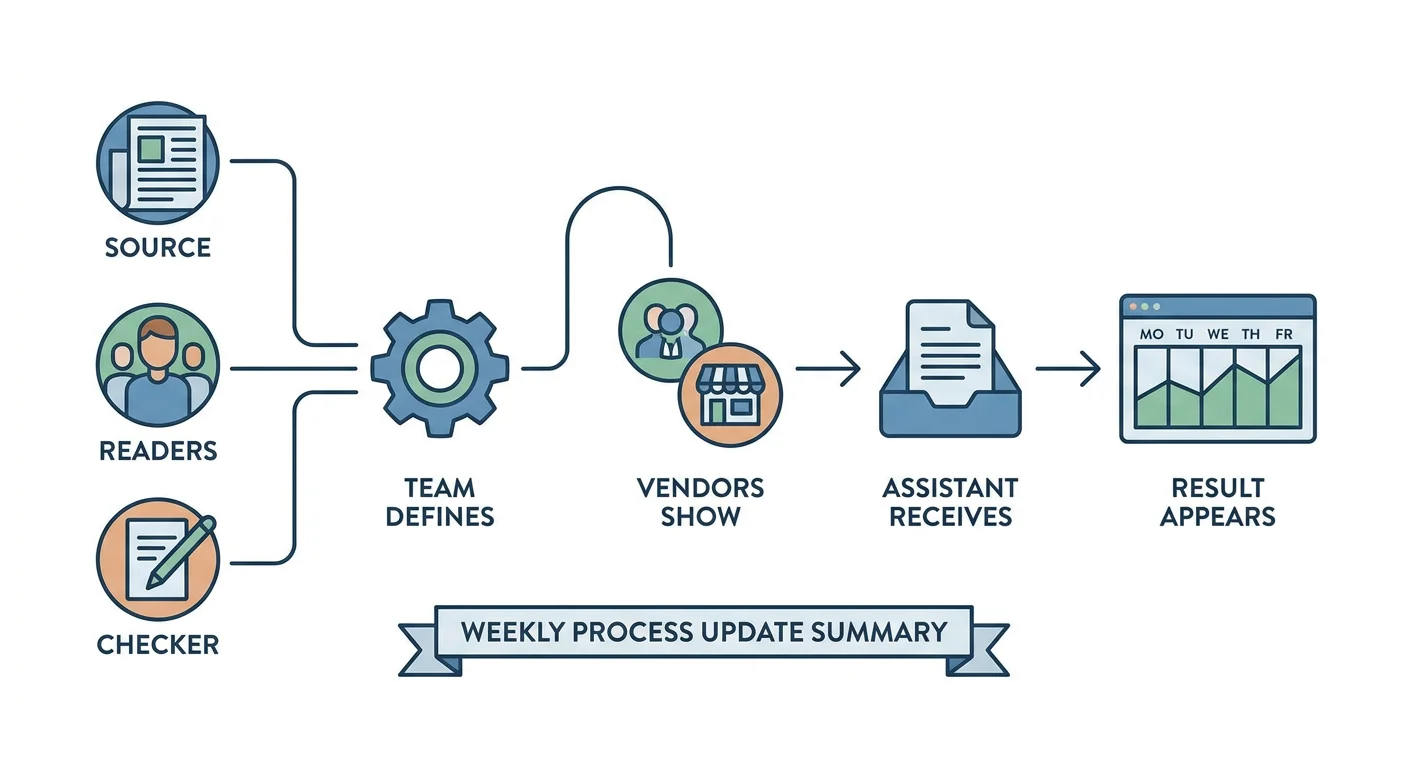
The team should not judge the demonstration on fluency alone. It should check whether the summary uses the right source, handles missing information and stays within the intended access boundary.
How Do You Choose Between LaunchLemonade and Dust?
Choose between LaunchLemonade and Dust by defining one representative workflow, weighting your requirements and testing both products against the same evidence. Include the people who will use, maintain and approve the assistant. A short, controlled pilot reveals more than a feature list alone, although it cannot prove every future use case.
Step 1: Define the Work and the People
Write down one task the team performs repeatedly. Identify the assistant’s users, its owner and anyone who must approve its output.
Describe success in practical terms. For example, the assistant might need to find an approved process and prepare a draft that a colleague reviews.
Step 2: Identify Required Knowledge and Access
List the documents or connected sources needed for that task. Mark which information is broadly shareable and which should be restricted.
Ask each vendor to show how the relevant access works. Use non-sensitive sample material until your organisation has approved a wider test.
Step 3: Weight Your Decision Criteria
Use the scorecard below as a starting point. Adjust the weights before reviewing either product, so the criteria reflect your team rather than a preferred vendor.
| Criterion | Suggested Weight | What to Evaluate |
|---|---|---|
| Sharing and collaboration | 25% | Can the right people use and maintain the assistant? |
| Knowledge fit | 25% | Can it use the required sources with appropriate access? |
| Governance and review | 20% | Can the team manage ownership, permissions and review? |
| Workflow fit | 15% | Does the task work from start to finish? |
| Cost clarity | 15% | Can the team understand plan and expected usage costs? |
Score each criterion from one to five after gathering evidence. Multiply the score by the weight, then compare the totals. Record unanswered questions separately instead of awarding points based on assumptions.
Step 4: Run the Same Pilot
Give both products the same approved source material, task description and test questions. Include straightforward requests, ambiguous requests and questions the source cannot answer.
Ask users to note where an answer is useful, unsupported or difficult to verify. Ask an owner to check sharing and editing permissions. Do not treat a single successful answer as proof that the setup is reliable.
Step 5: Review the Total Fit
Compare the scores, open questions and expected costs. Include the work needed to maintain sources, manage users and review outputs.
If a required capability remains unverified, resolve it before signing. A product can be strong overall and still be a poor fit for one essential requirement.
Final Decision Table
| If You Need… | Consider | Why |
|---|---|---|
| A no-code assistant that can be shared with selected team members | LaunchLemonade | Its available knowledge-base information describes explicit sharing and view or edit rights on paid Team plans. |
| A shared project area with conversations, tasks and files | Dust | Dust documents Pods for collaboration around shared work. |
| Connected company sources for agents | Dust | Dust documents managed connections and spaces. Check the connector and plan limits you need. |
| A team-built assistant or workflow around specialist knowledge | LaunchLemonade | LaunchLemonade describes no-code assistant and workflow building. Confirm the exact workflow in a demonstration. |
| A decision involving sensitive information or strict controls | Compare both directly | Request current documentation and test the required access, retention and review controls. |
Key Takeaways
- The right shared AI tool depends on your team’s workflow, knowledge and access needs.
- LaunchLemonade documents explicit assistant sharing on paid Team plans.
- Dust documents connected data, restricted spaces and collaborative Pods.
- Compare total cost, including usage and administration, rather than seat price alone.
- Run the same controlled pilot before choosing either product.
Conclusion
The LaunchLemonade vs Dust decision is ultimately about fit, not a universal winner. LaunchLemonade is worth exploring when your team wants no-code assistants with explicit sharing. Dust deserves consideration when connected knowledge and shared project workspaces are central to the requirement.
The strongest next step is to bring one real workflow and a clear set of access questions to each vendor. If you would like to explore the LaunchLemonade approach, book a demo and discuss the work your team wants to share.
Frequently Asked Questions
Is LaunchLemonade or Dust better for a small team?
LaunchLemonade may suit a small team exploring no-code assistants and explicit sharing. Dust may suit a team prioritising connected knowledge and shared project workspaces. Compare the required plan and test your workflow before choosing.
Can teams share assistants in LaunchLemonade?
LaunchLemonade supports assistant sharing on paid Team plans. The available knowledge base describes sharing with a whole team or selected members. It also describes view-only and edit rights.
Can Dust agents use company knowledge?
Dust agents can use selected knowledge and tools, subject to workspace configuration and access. Dust administrators connect sources and make data available through company data or spaces. Check current connector and plan limits.
How much do LaunchLemonade and Dust cost?
LaunchLemonade pricing should be checked directly for the required Team plan. Dust lists free and paid tiers, plus custom Enterprise pricing. Dust usage also depends on credits and the work performed.
Who might not be a good fit for either product?
LaunchLemonade may not fit a team that requires a specific collaboration feature it cannot verify. Dust may be less suitable if its workspace and access model adds unwanted administration. Test essential requirements rather than assuming either product is a fit.
Do both products require a technical team?
LaunchLemonade describes its assistant and workflow builder as no-code. Dust provides an agent builder and options for creating agents from a conversation or template. More complex integrations and governance requirements may still need technical input.
Can Dust automate recurring work?
Dust documents scheduled and webhook-based agent triggers. Trigger runs use credits and are subject to documented limits. Check current availability and test the required output destination.
What should we test before choosing a shared AI tool?
A shared AI pilot should test answer quality, source access, sharing permissions and maintenance. The team should also review expected costs and decide which outputs require human approval. Use the same tasks and evidence for both products.