At the same time, deploying AI inside collaboration tools requires a security checklist to ensure sensitive data, permissions, and access controls remain protected.
Our team struggled with severe Slack fatigue. Critical information was often buried, forcing us to scroll endlessly for updates. That changed when we introduced an internal Slack summarizer—an AI assistant designed with a clear security checklist, streamlined communication, reduced noise, and improved focus and productivity.
This internal Slack summarizer quickly became our team’s digital filter. More importantly, it followed a defined security checklist, keeping everyone informed without compromising data safety.
The Problem: Drowning in Digital Chatter
Before adopting our internal Slack summarizer—and before applying a proper security checklist—our workdays felt like a constant battle with Slack overload.
- Notification Fatigue: Continuous pings for non‑essential updates disrupted deep work and fragmented focus.
- Information Disparity: Some teammates read everything, while others avoided Slack to prevent burnout and missed critical details.
- Context Switching: Jumping between tasks and Slack threads reduced cognitive efficiency.
- Meeting Recap Exhaustion: Reviewing transcripts to extract action items became tedious.
- “Catch‑Up” Anxiety: Returning from time off meant facing hundreds of unread messages.
We needed a way to extract meaningful insights from the chaos while ensuring compliance, access control, and privacy. That’s when we applied a structured security checklist and built our internal Slack summarizer.
Building Our Internal Slack Summarizer AI Assistant
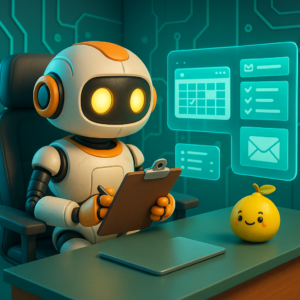
We built our internal Slack summarizer using a no‑code AI platform like LaunchLemonade. Our goal was simple: create a smart assistant that lives inside Slack, understands context, and operates safely under a clear security checklist.
1. On‑Demand Channel and Thread Summaries
How it works:
Team members can type a command like “@Summarizer summarize this channel since yesterday.”
AI function:
The AI reads approved messages only, following permission rules defined in the security checklist, and generates a concise summary.
Impact:
Users catch up instantly without scrolling—while sensitive channels remain protected.
2. Daily Digest of Key Channels
How it works:
Users configure the summarizer to send daily digests from selected channels.
AI function:
The assistant filters non‑essential chatter while respecting channel access policies defined in the security checklist.
Impact:
Important updates arrive at the right time without constant alerts or data exposure.
3. Meeting Transcript Summarization
How it works:
The summarizer connects to approved meeting tools and summarizes transcripts on request.
AI function:
It extracts discussion points and action items while adhering to transcript access rules outlined in the security checklist.
Impact:
Post‑meeting admin work drops, and summaries remain searchable and secure.
4. “Decision Log” Extraction
How it works:
Users can ask, “@Summarizer, what decisions were made last week in #project‑x?”
AI function:
The assistant scans authorized messages and compiles a decision log based on approved data sources.
Impact:
Teams gain a reliable, auditable record of decisions aligned with the security checklist.
5. Proactive Information Routing (Limited)
How it works:
If a user is mentioned in an important discussion within an approved scope, the summarizer sends a polite alert.
AI function:
It checks relevance and permission before notifying, as defined in the security checklist.
Impact:
The right people receive the right information—without unnecessary exposure.
The Transformative Impact on Our Workday
The introduction of our internal Slack summarizer—paired with a well‑defined security checklist—produced immediate results.
- Fewer Notifications: Teams relied on summaries instead of constant alerts.
- Deeper Focus: Reduced noise led to longer periods of uninterrupted work.
- Faster Catch‑Ups: One summary replaced hours of scrolling.
- Smoother Information Flow: Decisions were identified and acted on faster.
- Stronger Morale: Less stress improved collaboration and engagement.
Ultimately, our internal Slack summarizer showed that AI works best when paired with a strong security checklist. It proved that AI can enhance teamwork, reduce overload, and protect enterprise data at the same time.
To stay updated with us, please follow our Facebook, Instagram, LinkedIn, Threads, TikTok, X, and YouTube pages.