Turn Weekly Prospect Research Into a Reviewable Process
A useful lead research process does more than collect company names. It helps your team decide who fits, what has changed, and which facts deserve another look. A scheduled AI workflow can prepare that information regularly, but the quality of its instructions and review process still matters.
Quick Answer
To automate lead research with AI, define your target accounts and approved sources first. Schedule a weekly research task that produces evidence-linked briefs. Then review the findings before updating records or contacting prospects.
Summary
Weekly AI lead research turns an account list and qualification criteria into recurring research briefs. Teams should check source dates, distinguish facts from assumptions, and keep outreach decisions under human control.
What This Guide Covers
- A practical weekly research workflow and reusable prompt
- A rubric for checking prospect fit and source quality
- A comparison of three tools for recurring research
- Safeguards for privacy, errors, and changing information
What Does It Mean to Automate Lead Research With AI?
To automate lead research with AI is to use software to collect and organize prospect information for a sales team. A scheduled task repeats that research at a chosen time and produces a brief for review. The task supports qualification, but it does not establish that every finding is accurate or that outreach is appropriate.
Lead research can include company descriptions, location, relevant announcements, and evidence of a possible business need. Your team decides which fields matter and which sources the task may use.
The goal is not to replace judgment. It is to give a reviewer a consistent starting point.
Research Is Different From Outreach
Research prepares information for a decision. Outreach sends a message or creates another external action.
That distinction matters because a confident-looking summary may contain old information, weak inferences, or a mismatched company. A sensible first version of a workflow stops before sending messages or changing customer records.
| Activity | Suitable Initial Automation | Human Responsibility |
|---|---|---|
| Identify accounts | Prepare candidates against defined criteria | Check whether each account fits |
| Gather company context | Summarize approved sources | Open sources and verify material claims |
| Suggest a conversation angle | Draft a hypothesis | Decide whether the angle is fair and relevant |
| Prepare an outreach draft | Create text for review | Approve, edit, or reject before sending |
| Update a CRM | Prepare proposed changes | Confirm permissions and verify changes before applying |
OpenAI notes that search results and citations can be incomplete or incorrect. A link helps a reviewer investigate a claim, but it is not proof by itself.
Who Benefits Most?
This workflow suits teams that revisit a defined set of accounts and need a consistent briefing format. A founder preparing for weekly prospecting or an agency researching potential clients may both benefit.
It is less suitable when a team needs guaranteed real-time coverage, specialist datasets it cannot legally access, or decisions made without review. In those cases, define the missing requirements before choosing a tool.
What Should a Weekly AI Lead Research Workflow Include?
A weekly AI lead research workflow needs a defined account list, research criteria, approved sources, a recurring schedule, and a review step. It should also specify what happens when information is missing or a task fails. Without those boundaries, a scheduled report can repeatedly produce weak or unverified leads.
A useful workflow follows the same sequence every week. Adjust the depth to match the value of each account and your available review time.
Build the Workflow Around Six Decisions
- Choose the input. Start with a list of named companies, a defined market segment, or another approved source.
- Define fit. State the industries, locations, company characteristics, and exclusions that matter.
- Set research boundaries. Identify permitted sources and the information the task should not collect.
- Request an evidence-linked brief. Require source links, dates where available, and explicit gaps.
- Schedule the run. Pick a day, time, and time zone that leave room for review.
- Review and act. Assign an owner to check findings, remove duplicates, and decide what happens next.
For example, a sales manager might choose Monday morning so the team can review accounts before its weekly pipeline meeting. The right schedule is the one that fits your team’s decisions, not simply the earliest available time.
Set a Sensible Research Window
Tell the task whether it should find all available information or focus on changes since the previous review. If the tool cannot reliably access earlier outputs, provide the previous brief or compare results manually.
Avoid assuming every run remembers past research. Check how your chosen tool handles run history and context before relying on change detection.
Define Failure Conditions
A task should not silently turn missing information into a conclusion. Ask it to report:
- Accounts it could not identify confidently
- Sources it could not access
- Claims without supporting links
- Missing dates or contradictory information
- Research that could not be completed
If the task fails entirely, the owner should check the schedule, permissions, source access, and run history. Automating the reminder does not remove ownership of the process.
Which Information Should an AI Lead Research Brief Contain?
An AI lead research brief should contain enough information to support a next decision, not every fact the system can find. Include account identity, fit evidence, recent developments, source links, uncertainty, and a suggested review action. Separating confirmed facts from hypotheses makes the brief easier to trust and correct.
A brief should be short enough to review before a meeting. Expand individual fields only when the opportunity justifies deeper research.
Use a Consistent Brief Template
| Field | What to Request | Reviewer Check |
|---|---|---|
| Account identity | Company name, website, and location if available | Is this the intended company? |
| Business description | A short summary of products or services | Does the source support the description? |
| Fit evidence | Relevant facts against your criteria | Is the match explicit or only inferred? |
| Recent development | A dated announcement or update, if found | Is the date relevant and the source reliable? |
| Potential conversation angle | A clearly labelled hypothesis | Is it reasonable and non-invasive? |
| Sources | Links and publication dates where available | Do the pages actually support the claims? |
| Gaps | Missing, conflicting, or inaccessible information | Is more research needed? |
| Next action | Review, defer, reject, or investigate | Who owns the decision? |
A “recent development” is useful only if it relates to your offer. A funding announcement, for example, does not automatically mean a company needs your product.
Apply the Lead Research Readiness Rubric
This editorial rubric is a decision aid, not a validated sales score. Give each category 0, 1, or 2 points.
| Criterion | 0 Points | 1 Point | 2 Points |
|---|---|---|---|
| Fit | Evidence suggests a poor fit | Fit is unclear | Evidence supports the stated criteria |
| Evidence | Claims lack usable sources | Some claims have sources | Key claims have relevant supporting sources |
| Freshness | Dates are missing or material facts appear outdated | Some dates are available | Important time-sensitive claims are dated and current enough for the decision |
| Identity | Company identity is uncertain | Some details match | Name, website, and relevant details align |
Use the total as a starting point:
- 7 to 8: Ready for human qualification, assuming no critical source conflict.
- 4 to 6: Investigate missing or weak evidence before deciding.
- 0 to 3: Defer or reject until the account can be identified and researched reliably.
A high score does not prove buying intent. A critical error, such as the wrong company, overrides the total.
See the Rubric in Practice
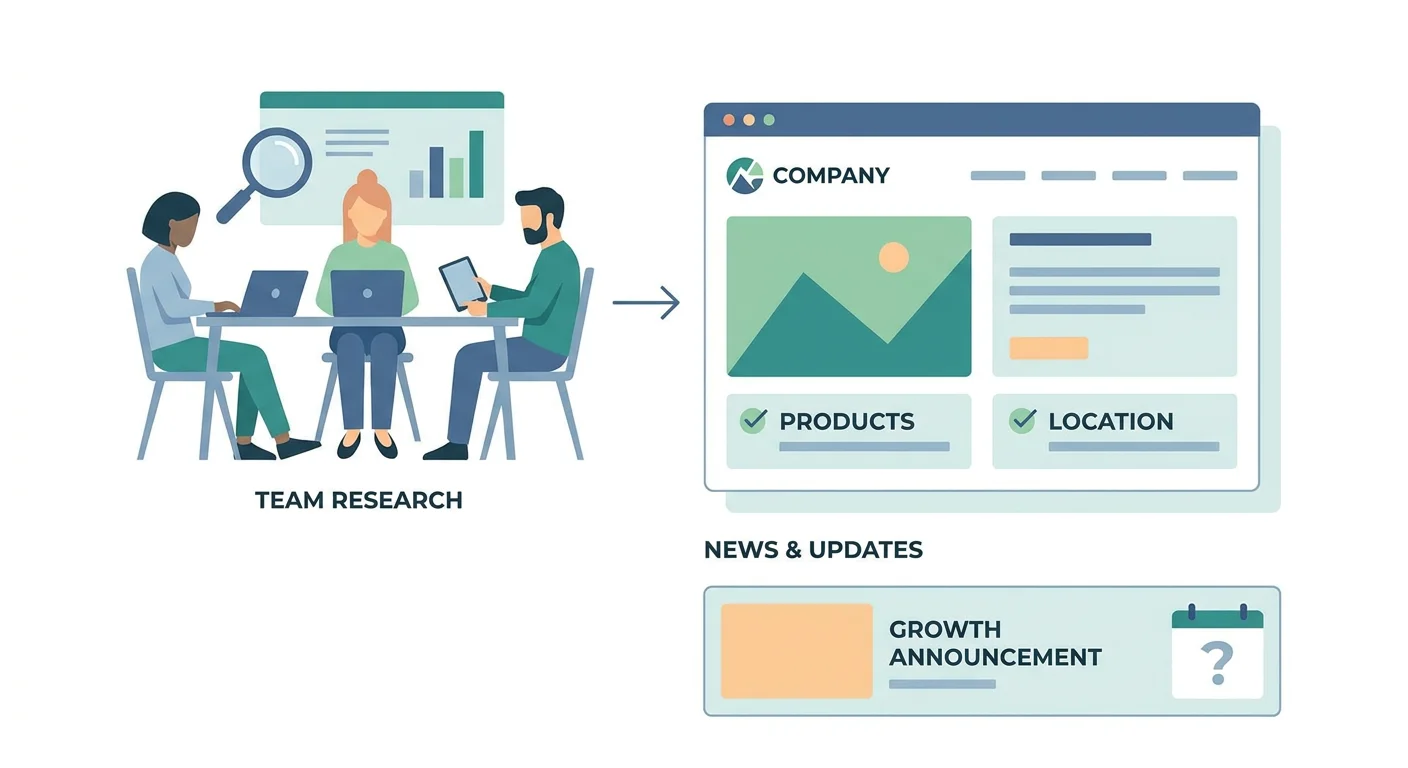
The reviewer might score fit and identity highly while assigning a lower freshness score. The next action is to find a dated source, not to assume the company is expanding now.
How Can You Write a Reliable Scheduled Research Prompt?
A reliable scheduled research prompt tells the AI what to research, which sources to use, how to format evidence, and when to stop. It also instructs the task to mark uncertainty instead of guessing. A clear prompt reduces ambiguity, although it cannot guarantee complete or accurate findings.
Start with a narrow group of accounts. Once the results are consistently useful, broaden the scope or add more detailed criteria.
Copy and Adapt This Research Prompt
Research the companies in the account list provided to you.
For each company, confirm its name and website where possible. Summarize what it does and assess it against the qualification criteria supplied by the team.
Use approved public sources and any other sources the account owner has explicitly authorized. Prefer the company’s own website for company-specific claims.
Include a link for each material factual claim. Include the publication or update date when available. If a source does not provide a date, say so.
Identify relevant developments from the research period specified by the reviewer. Clearly separate confirmed facts from possible implications or conversation ideas.
Mark missing, inaccessible, conflicting, or uncertain information. Do not invent contact details, buying intent, budgets, or personal information.
Produce one brief per company using these fields: company identity, business description, fit evidence, recent development, source links, gaps, suggested next action, and reviewer.
Do not send outreach, change records, or take external action. Prepare the results for human review.
Replace the input list, criteria, research period, and approved sources with your team’s actual instructions in the tool.
Add a Weekly Schedule
Choose a specific day, time, and time zone in your selected tool. Confirm the next run and check the first output before relying on it.
As of November 2026, LaunchLemonade’s workflow editor supports daily, weekly, and custom schedules. LaunchLemonade is an AI agent platform for professionals and small teams. Its workflow capabilities can support a recurring research process, subject to the sources and tools available to the configured assistant.
For teams exploring a shared approach, review the LaunchLemonade teams platform. For creating an assistant around your own instructions, see the LaunchLemonade builders platform.
Treat the First Runs as Calibration
Compare the first few outputs against a manually reviewed sample. Check whether the task identifies the correct companies, follows source instructions, and labels uncertainty.
Then adjust one thing at a time. If too many accounts are irrelevant, tighten the fit criteria. If briefs contain unsupported conclusions, require clearer links between evidence and each claim.
When you automate lead research with AI, the prompt is a working document. Update it as your team learns which information actually changes decisions.
Which Tools Can Support Scheduled Lead Research?
LaunchLemonade, ChatGPT, and Perplexity can support different parts of a recurring research process, but their available features and limits vary. Evaluate each option against the same criteria: scheduling, source access, review controls, collaboration, and cost. Confirm your account’s current permissions before designing a workflow around any feature.
The comparison below reflects official documentation and available LaunchLemonade knowledge as of November 2026. It is an editorial comparison, not a hands-on test.
Tools at a Glance
| Tool | Best For | Key Strength | Key Limitation | Starting Price | Best Fit |
|---|---|---|---|---|---|
| LaunchLemonade | Configurable assistant workflows | Weekly workflow scheduling and assistant instructions | Available research sources and setup must be checked for the specific workflow | Check current pricing | Teams building a repeatable process |
| ChatGPT | Individual recurring research prompts | Scheduled tasks and web search | Scheduled tasks cannot access uploaded files in a project | Check current pricing | Individuals wanting a scheduled brief |
| Perplexity | Web-oriented research and recurring monitoring | Cited search and Computer Automations | Computer usage and credits depend on plan | Check current pricing | Teams prioritizing source discovery |
LaunchLemonade: Configurable Team Workflows
LaunchLemonade supports assistants with defined instructions and structured workflows. Its knowledge base describes weekly workflow scheduling and records failed runs in workflow history.
Strengths
- Assistants can be configured around a team’s research instructions.
- Scheduled workflows and failure history support a repeatable process.
Limitations
- The available source does not establish that every lead database or CRM is supported.
- Teams must verify the assistant’s available research tools, permissions, and output destination before relying on them.
For actions that need approval, LaunchLemonade’s knowledge base describes approval workflows on Team and Enterprise plans. Confirm the relevant plan and configuration before assuming an action is gated.
ChatGPT: Scheduled Prompts With Search
OpenAI’s scheduled task documentation describes recurring tasks and notification options. OpenAI also documents web search with links to sources.
Strengths
- A recurring prompt can prepare a regular research brief.
- Web search can provide links for reviewers to inspect.
Limitations
- Tasks created in a project cannot access uploaded files or files stored in that project.
- Availability and task features depend on the account, app, and version.
OpenAI also explains that ChatGPT responses need critical assessment. A scheduled response should receive the same scrutiny as a one-off answer.
Perplexity: Source-Led Research and Automations
Perplexity describes Automations in Computer as recurring work that can run on a weekly schedule. Its search documentation describes answers with source citations.
Strengths
- Search results include links that support source review.
- Automations can schedule recurring monitoring and reports.
Limitations
- Computer usage and credit arrangements vary by plan and task.
- Some background runs start without prior conversation context, so instructions must be sufficiently complete.
Perplexity’s automation guidance recommends specifying the outcome, sources, and destination. Check the actual automation setup before assuming a previous result or connector will be available.
Choose Based on Your Workflow
| If You Need… | Consider | Why |
|---|---|---|
| A configurable assistant and scheduled workflow for a team | LaunchLemonade | Supports assistant instructions and scheduled workflows |
| A recurring prompt with web-search support | ChatGPT | Offers scheduled tasks and search, subject to account availability |
| Source-led monitoring with recurring automation | Perplexity | Combines cited search with Computer Automations |
To automate lead research with AI effectively, test the same small account list in each candidate tool. Compare the quality of the evidence and the effort needed to review it, not just the length of the output.
How Should Teams Review AI-Generated Leads?
Teams should review AI-generated leads by checking identity, source support, freshness, relevance, and permissions before acting. A reviewer should distinguish a documented fact from an inference and reject claims that cannot be verified. The review process should also record who made the decision and what remains unresolved.
A concise review is often more valuable than a longer AI report. Focus on the claims that would change your decision or appear in an outreach message.
Use a Five-Point Review Checklist
- Identity: Does the brief refer to the correct organization?
- Evidence: Does each important link support the claim beside it?
- Date: Is the source current enough for the decision?
- Fit: Does the account satisfy your actual qualification criteria?
- Action: Is the next step appropriate, authorized, and assigned to someone?
If a source contradicts the brief, correct the brief or mark the issue unresolved. Do not preserve a claim simply because it sounds plausible.
Separate Facts From Hypotheses
A fact might be: “The company announced a new product on a stated date.” A hypothesis might be: “The launch could create a need for additional customer support.”
The second statement may be useful, but it is not evidence of a buying intention. Label it accordingly and avoid presenting it as something the prospect has confirmed.
Keep a Record of Decisions
For each reviewed account, record the decision, reviewer, date, and reason. If your team uses a CRM or shared document, apply its existing access and retention policies.
The NIST AI Risk Management Framework provides a broader way to think about governing, measuring, and managing AI risk. Your review process can be simple, but it should have a clear owner.
What Risks and Costs Should You Plan For?
Scheduled lead research introduces risks around inaccurate information, privacy, source access, and recurring usage costs. Teams can reduce those risks by limiting collection, verifying claims, monitoring failures, and requiring approval before consequential actions. Costs should include the time people spend reviewing results, not only the software subscription.
The right level of oversight depends on what the task can access and what the team does with the output. Researching public company pages is different from processing personal contact records or sending messages automatically.
Protect Personal Information
Collect only the information needed for your stated purpose. Consider whether personal contact details are necessary at the research stage, and avoid requesting sensitive information.
Public availability does not automatically make every use appropriate. For example, the UK Information Commissioner’s Office discusses transparency and fairness when collecting information for direct marketing. That is UK guidance, not a substitute for checking the rules that apply to your own locations and activities.
Watch for Instructions Hidden in Source Material
A web page or document may contain text that tells an AI assistant to ignore its task, disclose information, or take an unrelated action. Treat retrieved material as evidence to assess, not as authority to change the task.
Limit connected tools and permissions to what the research needs. Keep sending, publishing, and record changes outside the initial workflow unless your organization has explicitly approved them.
Budget for the Complete Process
Consider these cost categories:
- Subscription or seat costs
- Task runs, credits, or usage limits
- Access to any licensed research data
- Time spent checking sources and correcting records
- Ongoing maintenance when sources or team criteria change
The NIST generative AI risk profile, published in 2024, offers a broader framework for considering trustworthiness across the AI lifecycle.
A useful pilot question is not simply, “Did the task run?” Ask, “Did the reviewed brief help someone make a better or faster decision?” Track that locally rather than assuming a benefit in advance.
Key Takeaways
- Start with a defined account list, qualification criteria, and approved sources.
- Schedule a repeatable brief, but keep factual checks and outreach decisions with people.
- Require links, dates where available, and clearly labelled uncertainty.
- Use the Lead Research Readiness Rubric to identify gaps before qualification.
- Compare tools on source access, scheduling, permissions, review effort, and total cost.
- Review privacy obligations and restrict the information and actions available to the task.
Conclusion
A weekly research workflow is most useful when it produces a brief your team can inspect and act on. Start small, verify the first outputs, and improve the instructions based on real review decisions.
If you want to automate lead research with AI using a configurable assistant and scheduled workflow, book a LaunchLemonade demo. Discuss your source requirements, review process, and desired output before choosing an implementation.
Frequently Asked Questions
Can AI research leads automatically every week?
AI tools can run recurring research tasks when scheduling and suitable sources are available. A person should still check the findings and decide what to do next.
What information should a weekly lead research report include?
A weekly lead research report should identify the company and summarize relevant fit evidence. It should also include sources, dates when available, gaps, and a proposed next action.
How much does scheduled AI lead research cost?
Scheduled AI lead research costs depend on the tool, plan, usage, data sources, and review time. Check current pricing and test expected usage before committing.
Can I automate lead research with AI without sending outreach?
Yes. You can automate lead research with AI while restricting the task to preparing a brief. Keep outreach and record changes subject to a separate human decision.
Is LaunchLemonade suitable for a small sales team?
LaunchLemonade is an AI agent platform for professionals and small teams. Its scheduled workflows can support recurring research, subject to the tools and sources available in the configuration.
Who should not rely on AI lead research alone?
Teams making consequential decisions should not rely on AI lead research without verification. AI-generated summaries can contain incorrect, outdated, or unsupported claims.
What are alternatives to LaunchLemonade for recurring research?
ChatGPT scheduled tasks and Perplexity Computer Automations are alternatives to consider. Compare account availability, source access, review controls, and current costs.
How can I tell whether a prospect finding is trustworthy?
A prospect finding is more useful when the correct company is identified and a relevant source supports the claim. Check the source date and mark unresolved gaps before acting.