Turn Team Documents Into Answers People Can Check
Your team probably has useful guidance tucked inside handbooks, process documents and training materials. The challenge is helping people find the right answer without searching every file. An AI knowledge base assistant can make that information easier to use, provided someone keeps the documents accurate, manages access and checks the answers.
Quick Answer
Choose one use case, prepare trusted documents and add them to a no-code assistant. Give it clear instructions, then test answers against the originals. Share it with approved users and update the knowledge regularly.
Summary
A document-based AI assistant retrieves relevant information from selected sources to help answer questions. LaunchLemonade is a no-code AI agent platform for professionals and small teams. Start with approved files, test missing-information scenarios and review access before sharing.
What This Guide Covers
- How to select a useful first problem and prepare your documents
- How to compare tools and configure an assistant without coding
- How to test, share and maintain answers responsibly
Step 1: Define the AI Knowledge Base Assistant’s Job
An AI knowledge base assistant is a software assistant that uses selected information to answer questions for a defined audience. A useful first assistant has a narrow job, an identified owner and a known set of documents. Start with questions your team already asks, rather than trying to cover every business process.
Pick One Audience and One Outcome
A focused assistant is easier to test than a general company expert. Choose an audience whose questions and permissions are similar.
For example, a team might start with:
| Audience | Practical First Use | Out of Scope |
|---|---|---|
| New employees | Finding approved onboarding steps | Individual employment decisions |
| Support staff | Locating documented product guidance | Promising undocumented fixes |
| Operations team | Finding internal process instructions | Approving payments or policy exceptions |
| Consultants | Finding approved templates and procedures | Making unsupervised client recommendations |
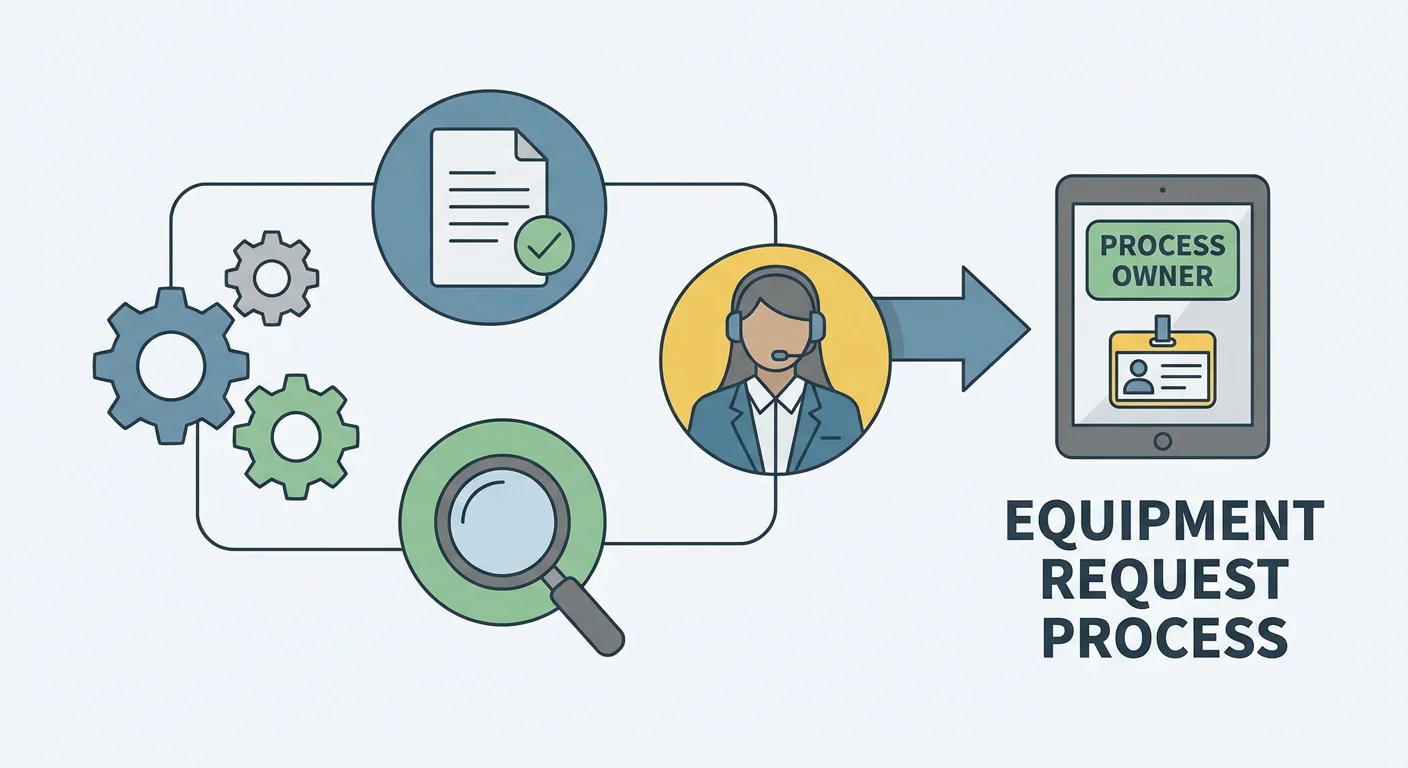
Write your first goal in one sentence:
Help a defined group find answers about a specific process using approved documents.
Then name an owner. That person does not need to write code, but they should know where the source material comes from and who can approve changes.
Understand What Retrieval Does
Many document assistants use retrieval-augmented generation, often called RAG. As IBM explains in its RAG overview, this approach connects a language model with an external knowledge base.
A typical interaction follows this pattern:
- A user asks a question.
- The system searches available source material.
- Relevant passages are provided to the model.
- The model writes an answer using that context.
Retrieval is not the same as retraining a model on your documents. It also does not guarantee that the right passage will be found or interpreted correctly.
A good first project therefore has a clear fallback: when the answer is missing, the assistant should say so and direct the user to an appropriate human or source.
Decide What Success Looks Like
Before choosing software, collect a small set of real questions. Include ordinary questions, ambiguous questions and at least one question your documents cannot answer.
For each question, write down the expected answer and where a reviewer can verify it. This creates a baseline for testing later. Avoid defining success only as “the assistant sounds helpful.” A confident answer can still be wrong.
Step 2: Select and Prepare Trusted Documents
A document-based assistant is only as useful as the material it can access and retrieve. Select current, approved documents for the intended audience, then remove conflicting versions and unnecessary sensitive information. Record an owner and review date for each source so the knowledge remains manageable after launch.
Build a Small Source Inventory
Start with a manageable collection rather than uploading an entire shared drive. A smaller set makes it easier to understand why an answer succeeded or failed.
Useful starting materials can include:
- Approved process guides
- Product documentation
- Internal FAQs
- Team onboarding instructions
- Templates with clear usage guidance
- Policy documents suitable for the intended audience
Avoid adding documents simply because they are available. Old drafts, conflicting policies and personal notes can produce confusing answers.
The following scorecard is an editorial framework, not a product feature. Use it before uploading each file.
| Check | Pass If | Action If It Fails |
|---|---|---|
| Authority | An owner has approved the document for this use | Ask the owner to approve it or exclude it |
| Currency | The content reflects the current process | Update it or mark it for review |
| Audience | Intended users may see the information | Remove restricted content or separate the audience |
| Clarity | A reader can understand the steps and exceptions | Rewrite unclear sections |
| Findability | Headings and terms match the questions people ask | Add descriptive headings and familiar terminology |
A document should pass all five checks before it becomes a relied-upon source. This is a practical rule for your team, not a guarantee of answer quality.
Handle Personal and Sensitive Information Carefully
Check what each document contains before uploading it. The UK Information Commissioner’s Office notes that personal data can still be processed when its inclusion is incidental. Do not assume an unnoticed name or other identifying detail is irrelevant.
For organisations subject to EU data protection rules, the European Data Protection Board’s opinion on personal data and AI models highlights the need for case-by-case assessment. Your organisation should consider its own processing purpose, responsibilities and applicable rules.
LaunchLemonade’s available product guidance says its terms do not permit special-category personal data, including health data. Its services are not designed for industry-specific regulated uses such as HIPAA. Keep that information out of LaunchLemonade and check current terms before uploading.
Also consider who can modify source files. The OWASP RAG security guidance identifies document poisoning as a risk when malicious content enters a retrieval collection. Restrict who can add or change trusted material.
Make Documents Easier to Retrieve
Clear structure helps both people and retrieval systems interpret content. Use descriptive headings, short sections and consistent names for processes.
For example, replace a heading such as “Other” with “Requesting a Replacement Laptop.” State the audience, owner and effective date in the document itself where appropriate.
If two documents disagree, resolve the conflict before upload. Do not rely on the assistant to decide which policy has authority.
Suggested Visual: A simple document-readiness checklist showing authority, currency, audience, clarity and findability.
Step 3: Choose an AI Knowledge Base Assistant Tool
Choose a no-code assistant tool by comparing its source options, intended audience, sharing model and likely costs. The right choice depends on whether you need an internal team assistant, a published documentation portal or a chatbot that can be embedded. Check current availability and pricing before committing.
Tools at a Glance
The comparison below uses the same criteria for each tool: document use, sharing or publication, audience fit and practical limitations. It is based on product information, not hands-on testing.
| Tool | Best For | Key Strength | Key Limitation | Starting Price | Best Fit |
|---|---|---|---|---|---|
| LaunchLemonade | Building an internal assistant for a professional team | No-code assistant creation with linked documents | Team sharing requires a paid Team plan | Check current pricing | Small teams building assistants around their own work |
| Docsie | Documentation-centred assistants | Combines documentation with custom assistant features | A broader documentation setup may be more than a simple internal pilot needs | Check current pricing | Teams maintaining and publishing structured documentation |
| Knowbase | Document chat and website assistants | Supports multiple content types and assistant customisation | Website embedding requires adding a code snippet | Check current pricing | Teams that want document chat or a customer-facing chatbot |
LaunchLemonade: Team Knowledge and No-Code Building
LaunchLemonade is a no-code AI agent platform for professionals and small teams. Its knowledge base describes creating an assistant from a plain-English description and linking documents for retrieval.
Strengths
- The builder suggests an editable prompt and configuration from a description.
- On paid Team plans, an assistant can be shared with the team or selected members.
Limitations
- Team sharing requires a paid Team plan.
- The available knowledge-base guidance says there are no public share links for assistants, so a public link-sharing workflow needs another approach.
Check current availability and plan details before choosing. If you want to explore the builder first, see the LaunchLemonade builders platform.
Docsie: Documentation and Custom Assistants
Docsie describes a no-code assistant built around documentation. Its product page also describes connections to business systems and separate assistants for different teams.
Strengths
- The product is designed around documentation and knowledge-base use.
- It describes configurable assistants and connections to business systems.
Limitations
- A documentation-centred platform may introduce more setup than a small, document-only pilot needs.
- Usage and feature availability depend on the plan. Review Docsie’s current pricing and credit rules for your intended workload.
Docsie may be worth considering when maintaining a documentation portal is as important as answering questions from it.
Knowbase: Document Chat and Embedded Assistants
Knowbase describes an assistant that can use documents and other content, with configurable behaviour and website embedding.
Strengths
- Its assistant page describes document, audio and video inputs.
- It supports assistant customisation and a website embed option.
Limitations
- Website embedding requires adding a code snippet, even if building the assistant does not require programming.
- Published plan details and limits should be checked carefully. The Knowbase pricing page and its documentation do not always present the same allowances.
Ask the vendor to clarify any conflicting limit before relying on it for a purchase decision.
Decide Based on the Job
| If You Need… | Consider | Why |
|---|---|---|
| A no-code assistant shared explicitly with a team | LaunchLemonade | The available guidance describes selected-member or team sharing on paid Team plans. |
| A documentation-led assistant and portal workflow | Docsie | Docsie focuses on documentation and custom assistants. |
| Document chat plus a website chatbot option | Knowbase | Knowbase describes configurable assistants and website embedding. |
No tool removes the need to review documents, test access and verify important answers. If your requirements include a regulated use or a public deployment, confirm suitability directly with the provider.
Step 4: Create the Assistant and Add Its Knowledge
Create the assistant around the job you defined, then link only the documents that support that job. In LaunchLemonade, the available guidance describes starting with “New Assistant” and a plain-English description. Review the suggested configuration, add approved knowledge and check that processing has completed before testing.
Describe the Role in Plain English
Begin with a specific description. Identify the audience, the material the assistant should use and the kind of answer you expect.
For example:
Help our operations team find the approved equipment-request process. Use the linked guidance. Explain the steps clearly and say when the documents do not contain an answer.
LaunchLemonade may suggest a system prompt, tools and configuration from your description. Review and edit those suggestions. The precise interface and available options can change, so check current availability in your workspace.
A good instruction set should cover:
- Purpose: What questions should the assistant handle?
- Sources: Which approved material should it use?
- Boundaries: What should it avoid deciding or inventing?
- Answer format: Should it provide steps, a short summary or an escalation?
- Fallback: What should it say when information is missing?
An instruction to use sources is helpful, but it is not a security control or a guarantee. Keep human review for important decisions.
Link Approved Documents
LaunchLemonade’s available knowledge-base guidance says it supports PDF, DOCX, XLSX, PPTX, TXT, Markdown, CSV, HTML and EPUB files, with a stated limit of 50 MB per file. Check current limits before preparing a large upload.
The same guidance describes documents being processed, divided into chunks and indexed for retrieval. When a user chats with the assistant, LaunchLemonade searches linked documents for relevant passages and supplies them as context.
Upload a few approved files first. Confirm that each one is associated with the intended assistant and is ready to use. If you cannot find an upload or linking control, consult the current product interface or ask for a walkthrough rather than assuming a particular button label.
Set a Safe Fallback
An AI knowledge base assistant should be allowed to say, “I cannot find that in the available documents.”
Include instructions for uncertainty and conflicting sources. For example, ask the assistant to:
- Explain what information is missing.
- Avoid guessing at a policy or approval.
- Identify a relevant process owner when that information is documented.
- Recommend checking the original source for consequential decisions.
Do not promise that the assistant will always cite a page or document unless you have verified that behaviour in your own setup. Test what users can actually inspect.
Step 5: Set Access and Define Human Oversight
Access should reflect the sensitivity of the documents and the responsibilities of the people using them. Start with the smallest appropriate group, distinguish viewing from editing and test the experience with representative users. Keep a human owner responsible for source approval, access reviews and consequential decisions.
Match Sharing to the Audience
The available LaunchLemonade guidance says assistant sharing is explicit on paid Team plans. An owner can share with a whole team or selected members, using view-only or edit rights.
That distinction matters. Someone who only needs answers may not need permission to change the assistant. Give editing access to people responsible for its instructions and knowledge.
Before sharing, check:
- Who needs access to the assistant?
- Who may edit its instructions or linked knowledge?
- Are all linked documents appropriate for every intended user?
- What happens when someone changes role or leaves the team?
- Who will review access regularly?
Do not assume that an assistant’s share settings automatically reproduce every permission from an original file system. Verify the actual behaviour for your configuration.
The LaunchLemonade teams platform is the relevant starting point for discussing team use.
Separate Guidance From Decisions
An assistant can help a person locate a process. It should not become the sole authority for a consequential decision.
The US National Institute of Standards and Technology’s AI Risk Management Framework guidance on human roles recommends clearly defining responsibilities for people using and overseeing AI systems. The framework is voluntary, and its revision was in progress when the source was checked.
A practical division of responsibility might look like this:
| Task | Assistant’s Role | Human Owner’s Role |
|---|---|---|
| Find a procedure | Summarise relevant guidance | Confirm the source is current |
| Handle a policy exception | Explain the documented escalation route | Decide the exception |
| Update a process | Answer from approved material | Approve and replace the source |
| Respond to a consequential question | Flag uncertainty and direct the user | Review the answer and decide next steps |
If an assistant can take actions beyond answering questions, evaluate those actions separately. Do not assume an answer-only pilot has tested the risks of sending messages, changing records or triggering workflows.
Step 6: Test the AI Knowledge Base Assistant
Test the assistant against questions with known answers before inviting the wider team. Include normal questions, missing-information cases, conflicting-source scenarios and access checks. Compare each response with the approved source, record failures and fix the underlying document or instruction before retesting.
Use an Answer-Testing Matrix
The matrix below is an editorial testing framework. It is not a benchmark or a promise that any tool will pass.
| Test | Example Question | What to Check |
|---|---|---|
| Direct answer | “What are the steps for requesting equipment?” | The response matches the approved process. |
| Different wording | “How do I get a replacement laptop?” | The assistant finds the same relevant guidance. |
| Missing information | “Can I request an item not mentioned in the guide?” | The assistant acknowledges the gap rather than inventing a rule. |
| Ambiguous request | “How do I make a request?” | The assistant asks for clarification or states its assumption. |
| Conflicting material | Ask about a process represented in two versions | The conflict is surfaced or fixed at the source before launch. |
| Access boundary | Ask about material intended for another group | Review whether the user can access inappropriate information. |
Use real questions from the intended audience where possible. A source owner should review the expected answer, especially when a process has exceptions.
Record the question, expected answer, source, actual answer and outcome. A simple pass-or-fail record is enough for a first pilot. Add notes about the cause of a failure rather than only rewriting the question.
Diagnose Failures Before Changing the Prompt
When an answer is wrong, investigate in this order:
- Source problem: Is the correct answer actually in an approved document?
- Version problem: Is an outdated or contradictory document still linked?
- Retrieval problem: Does the relevant information use different terminology?
- Instruction problem: Does the assistant know how to handle uncertainty?
- Access problem: Can the intended user reach information they should not?
Changing instructions cannot repair a missing policy. Likewise, adding more documents can make a conflicting collection harder to manage.
The US NIST Generative AI Profile, published in 2024, provides a voluntary framework for managing generative AI risks across the lifecycle. Treat testing as an ongoing activity, not a one-time approval.
Test Instructions Hidden in Source Material
A document can contain text that attempts to redirect an assistant rather than provide useful knowledge. OWASP’s 2025 prompt-injection guidance explains that external files can carry indirect instructions and that retrieval does not fully eliminate this risk.
Use approved test material and an authorised reviewer. Check that the assistant does not treat document instructions as permission to reveal unrelated information or take an action.
Do not rely on a prompt alone to prevent misuse. Combine source controls, restricted access, testing and human oversight.
Step 7: Share, Monitor and Maintain the Assistant
A useful assistant needs ongoing ownership after its first successful test. Share it with a small approved group, collect examples of weak answers and review documents whenever the underlying process changes. Remove or replace outdated material, then rerun important tests before expanding access.
Run a Small Pilot
Invite a few people who represent the intended audience. Explain what the assistant covers, which documents it uses and when people should consult a human.
Ask pilot users to note:
- Questions that were difficult to answer
- Answers that appeared incomplete or inconsistent
- Missing procedures or unclear document language
- Situations where the assistant should have escalated
- Access that seemed broader or narrower than expected
Avoid collecting unnecessary personal details in feedback. A useful report can often include the question, the response and the relevant source without identifying a person.
Give the Knowledge a Maintenance Owner
Create a simple review routine. The right frequency depends on how often your documents change and how consequential the answers are.
| Trigger | Owner’s Action | Retest |
|---|---|---|
| A process changes | Update the approved source and remove obsolete versions | Ask the affected process questions again |
| A user reports a wrong answer | Compare the answer with the source and investigate | Repeat the original question and related variations |
| Team membership changes | Review assistant access and editing rights | Test access with an appropriate account |
| A document owner changes | Assign a new owner and confirm approval | Review the source inventory |
| The assistant’s scope expands | Approve new sources and update instructions | Add tests for the new audience and topics |
Keep a record outside the assistant if that is how your organisation manages approvals. The important point is that someone can explain which source is current and who owns it.
Know When Not to Expand
Do not add another department merely because the first pilot worked. Different teams may need different documents, permissions and escalation routes.
Pause expansion if you cannot answer basic questions about ownership or access. A separate assistant may be easier to govern than one assistant with a large, mixed collection.
If your team wants help discussing the setup, book a LaunchLemonade demo. Bring your intended use case, source inventory and unanswered access questions to the conversation.
Key Takeaways
- Start with one audience, one job and an accountable owner.
- Use approved, current documents and remove conflicting versions.
- Compare tools on source support, sharing, audience fit and total usage cost.
- Treat instructions as guidance, not a substitute for access controls or human review.
- Test ordinary questions, missing answers, conflicts and access boundaries.
- Maintain the assistant whenever its underlying knowledge changes.
Conclusion
A no-code build can make team knowledge easier to find, but the software is only one part of the solution. Clear documents, careful access and repeatable testing determine whether people can use the answers responsibly.
Start small. Give the assistant a specific job, test it against known answers and improve the source material before expanding. That approach makes the project easier to maintain and gives your team a clearer basis for deciding what to trust.
Frequently Asked Questions
Do I need coding skills to build a document-based assistant?
LaunchLemonade’s available guidance describes its assistant builder as no-code. You still need to prepare documents, review instructions and test answers.
Can an assistant answer questions from multiple documents?
Document-based assistants can retrieve information from multiple linked sources. Check your chosen tool’s limits and test questions that require more than one document.
Does uploading documents train the underlying AI model?
Uploading documents for retrieval is not the same as retraining a model. LaunchLemonade describes searching linked passages and adding them to the conversation context.
What does a knowledge assistant cost?
Costs depend on the provider, plan, number of users and usage. Check current pricing and limits before choosing a tool.
What if the assistant cannot find an answer?
A knowledge assistant should acknowledge missing information rather than invent an answer. Tell users where to escalate and test this behaviour before launch.
Can everyone on my team use the same LaunchLemonade assistant?
LaunchLemonade’s available guidance describes explicit sharing on paid Team plans. Owners can share with a whole team or selected members, subject to current availability.
Who should not rely on an AI knowledge base assistant?
People making consequential decisions should not rely on an assistant as their only authority. LaunchLemonade also does not permit special-category personal data, including health data, under its stated terms.
What are the alternatives to LaunchLemonade?
Docsie and Knowbase are two alternatives for document-based assistants. Compare their current features, sharing options and pricing against your intended use.