A Practical Checklist for Choosing Your Team’s AI Assistant
A small team needs an AI assistant that fits its actual work, not just an impressive feature list. The choice between LaunchLemonade vs Lindy depends on your workflows, budget, connected tools and review requirements. A short, structured pilot can reveal more than a long list of product claims.
Quick Answer
LaunchLemonade suits teams exploring custom agents, shared governance and structured workflows. Lindy suits teams prioritising a Slack-based assistant and connected routines. Compare the required plans, permissions and approval behaviour before choosing. Neither is automatically the better fit for every small team.
Summary
LaunchLemonade is a no-code AI agent platform for professionals and small teams. Lindy offers an AI teammate with Slack workflows and connected integrations. The strongest choice depends on the work, plan-level controls, data restrictions and total operating cost.
What This Guide Covers
- A side-by-side view of the two platforms.
- Pricing and governance questions to ask before buying.
- A five-part rubric for comparing your team’s real requirements.
- A practical pilot that tests both products against the same task.
What Is the Difference Between LaunchLemonade vs Lindy?
A small-team AI platform comparison is an evaluation of software that helps teams use AI for recurring work. LaunchLemonade vs Lindy is a comparison between two approaches: configurable AI agents and workflows on one side, and an AI teammate with connected routines on the other.
Both products can support team productivity, but their ideal starting points differ. LaunchLemonade is a no-code AI agent platform for professionals and small teams. Lindy presents its product as an AI teammate that can work through connected apps and Slack.
For this comparison, the decision criteria are:
- Work fit: Can the product handle the actual task and output?
- Collaboration: Can the right people access and manage the work?
- Governance: Can the team control data, actions and review?
- Cost: What will seats and expected usage cost together?
- Operational effort: Can a small team maintain the setup?
The product details below reflect the sources available for this article. Lindy information was checked in November 2026. LaunchLemonade’s knowledge-base source has no clear publication date, so check current availability and pricing before purchasing.
Tools at a Glance
| Tool | Best For | Key Strength | Key Limitation | Starting Price | Best Fit |
|---|---|---|---|---|---|
| LaunchLemonade | Custom agents and structured team workflows | No-code agent building with plan-dependent team controls | Team plan has a five-seat minimum; check current plan details | Check current pricing | Teams that want configurable agents and governance |
| Lindy | Connected assistant work and recurring routines | Slack-based collaboration and a documented integration catalogue | Audit logs are listed under Enterprise; approval settings have documented scope limits | $29.99 per active user per month, as of November 2026 | Teams centred on Slack, meetings and connected apps |
The table is a starting point, not a declaration of a universal winner. A product can look attractive on one row and still fail an essential requirement in your environment.
Why the Buying Context Matters
A three-person consultancy and a ten-person operations team may both call themselves small teams. Their needs can still be very different.
The consultancy might need reusable agents that follow its templates and review process. The operations team might prioritise meeting follow-ups and work inside Slack. The best comparison starts with those jobs, not with an abstract feature count.
How Do LaunchLemonade vs Lindy Compare for Small Teams?
LaunchLemonade supports no-code agent creation, configurable source materials and structured workflows, according to its knowledge base. Lindy combines an AI teammate with connected tools, routines and Slack interaction. Each option has practical strengths, but each also has plan, permission or implementation limits that deserve testing.
LaunchLemonade: Strengths and Limitations
LaunchLemonade is a no-code AI agent platform for professionals and small teams. The available knowledge-base source describes ready-made agents that customers can customise with templates, tone, source documents and workflows.
Strengths
- Configurable agents: Teams can use ready-made agents or build their own without code.
- Structured workflows: The knowledge base describes multi-step workflows with tool calls, decisions and output formatting.
- Team governance: The source describes role-based access and action approvals on Team and Enterprise plans.
- Review visibility: Audit trails are described on Pro and above, with a team access log for admins on Team plans.
Limitations
- Seat minimum: The knowledge base describes a minimum of five Team seats. That can matter when only two or three people need access.
- Sensitive-data restriction: The source says special-category personal data, including health data, is not permitted. LaunchLemonade is therefore not suitable for a workflow that requires such data.
- Verification needed: The available knowledge-base source does not provide a clear publication date. Confirm current plan features, integrations and pricing.
- Setup still takes work: A no-code builder does not remove the need to define instructions, test outputs and maintain source material.
Explore the LaunchLemonade Teams platform if shared agents and team governance are central to your evaluation.
Lindy: Strengths and Limitations
Lindy is an AI teammate designed to work across connected tools. Its setup documentation describes personal interactions and shared Slack workflows.
Strengths
- Slack-based collaboration: Teams can mention Lindy in shared channels or interact with it privately.
- Recurring routines: Lindy documents scheduled and event-triggered routines for activities such as briefings and follow-ups.
- Connected tools: Lindy’s documentation describes personal and team connections across a broad integration catalogue.
- Shared usage controls: Its billing documentation describes pooled credits and per-person spend caps.
Limitations
- Audit-log plan requirement: Lindy lists audit logs under Enterprise, rather than its standard Team offer.
- Approval scope needs review: Its documentation describes integration guardrails for shared Slack threads, with exclusions for some other surfaces.
- Shared credentials carry permissions: A shared connection uses the connected account’s permissions. That may be broader than a team intends.
- Consumption varies: Tasks draw different amounts of credit, so the advertised seat price is not a complete workload estimate.
A Slack-first team may find Lindy’s interaction model attractive. A team that requires specific audit evidence or tightly scoped permissions should verify the relevant plan and configuration before committing.
Which Platform Handles Your Workflows and Integrations?
The better workflow platform is the one that completes your specific task with acceptable review and maintenance effort. LaunchLemonade’s knowledge base describes structured, multi-step workflows. Lindy documents routines based on a trigger, a prompt and a destination, with personal and workspace scopes.
Start With One Repeatable Job
Choose a task that happens often enough to justify setup but is safe enough to pilot.
Good candidates include:
- Preparing a draft meeting brief.
- Summarising approved internal documents.
- Organising a recurring team update.
- Drafting follow-up messages for a person to review.
- Producing a structured first draft from an existing template.
Avoid choosing a vague goal such as “automate operations.” It is difficult to evaluate without defining the inputs, output and responsibility.
For each candidate task, write down:
- The event or person that starts the work.
- The information the assistant may access.
- The intended output.
- The action that requires human approval.
- The person responsible when the output is wrong.
Compare Triggers and Outputs
LaunchLemonade’s knowledge base describes manual, scheduled and event-triggered workflows. It also describes run history and configurable responses to failed steps. Check current availability for your plan and exact use case.
Lindy’s routines documentation describes scheduled and event triggers, as well as personal and workspace routines. The documentation says workspace routines require an admin to create and manage them.
That distinction matters for a small team. If only one person can maintain a shared automation, decide what happens when that person is unavailable.
Test the Exact Integration, Not Just Its Name
An integration listing does not prove that every action your team needs is supported. Test the complete job: connect the account, read the permitted information, produce the output and handle a failed connection.
Lindy’s integrations documentation distinguishes personal and team connections. A shared connection acts with the permissions of the connected account.
Lindy also documents support for hosted servers through Model Context Protocol connections. Its documentation says supported actions arrive enabled, so teams should review and disable unnecessary actions.
For LaunchLemonade, confirm your required integration and action directly. The knowledge base does not establish that every possible app or custom server is available through self-service.
Use a Least-Privilege Checklist
Before connecting either product, ask:
- Does the connection need read access, write access or both?
- Which account owns the connection?
- Can access be limited to specific folders, projects or records?
- Who can change the connection?
- How is access removed when a person leaves?
- What happens if credentials expire?
These questions make the comparison more useful than counting integrations. An integration is valuable only when it can be used safely for the job.
What Does LaunchLemonade vs Lindy Cost?
The cost of an AI assistant includes seats, usage, required governance features and the time needed to maintain it. LaunchLemonade’s knowledge base describes a five-seat Team minimum. Lindy’s published pricing uses paid active-user seats and a shared credit pool, so teams should model both access and consumption.
Compare the Minimum Useful Configuration
The LaunchLemonade knowledge base lists Team Pro at $39 per seat per month, with a five-seat minimum. That implies a $195 monthly base for five seats before any additional costs. The active admin product record also lists Team at $39 monthly, but does not independently establish the public seat rules.
Because the knowledge-base source has no clear date, check current pricing and plan terms before relying on that figure.
As of November 2026, Lindy’s pricing page lists Team from $29.99 per active user per month, with 3,000 credits per seat. Five seats at that starting rate would be $149.95 per month before top-ups or other changes.
Those examples are not an apples-to-apples value verdict. They do not establish equivalent features, usage capacity or governance.
Understand What Credits Pay For
LaunchLemonade’s knowledge base describes usage in terms of AI model tokens across conversations, workflow runs and document generation. It also describes pooled Team credits. Confirm the current allocation and what happens when your team reaches it.
Lindy’s billing documentation says the workspace draws from a shared credit pool. Monthly plan credits reset each cycle, while purchased top-up credits remain available until used. The documentation also says a task already running can finish beyond a person’s spend cap.
Do not assume that one credit on either product represents the same amount of work. Use a pilot to observe consumption for the same representative tasks.
A More Useful Cost Worksheet
| Cost Question | LaunchLemonade | Lindy |
|---|---|---|
| How many paid seats are required? | Check the current Team minimum and the number of users who need access | Check the current definition of an active user |
| What usage is included? | Confirm current credit allocations and usage rules | Confirm credits per seat and expected task consumption |
| Which plan supplies required controls? | Confirm access, approvals and audit features for the selected plan | Confirm whether required controls need Enterprise |
| What happens at the limit? | Ask about current limits and available options | Documentation says credit-using work pauses when the pool runs out |
| What work will the team maintain? | Estimate agent, source and workflow maintenance | Estimate routine, connection and approval maintenance |
Budget for Ownership
The purchase price is only one part of the decision. Someone must update instructions, investigate failed runs and remove access when roles change.
For a small team, the right question is not just “Which costs less per seat?” Ask: “What will it cost to run our required workflow responsibly for a month?”
How Do LaunchLemonade vs Lindy Handle Access and Approvals?
Access and approval requirements should be checked at the level of the specific plan, integration and user interface. LaunchLemonade’s knowledge base describes Team and Enterprise controls for agent access and selected action approvals. Lindy documents integration guardrails, but their behaviour depends on where and how the assistant is used.
Compare the Control, Not Just the Label
“Approval” can mean different things across products. It might refer to a human reviewing an external email, authorising a specific tool call or allowing a connection to be shared.
For LaunchLemonade, the available knowledge base says admins can flag agent actions for review on Team and Enterprise. It describes reviewers approving or rejecting actions before execution. Ask the team to demonstrate your exact workflow and review path.
For Lindy, its pricing page says actions with outside impact wait for approval. However, its integrations documentation says guardrails apply in shared Slack threads and do not guard web chat, Slack DMs, iMessage or SMS. The documentation also says reads are not guarded by those integration settings.
Those statements should not be treated as proof that every surface has identical protection. Ask Lindy to clarify the current behaviour for your intended actions, channels and plan.
Check Audit Evidence
LaunchLemonade’s knowledge base says audit trails are included on Pro and above, while Team adds a team access log for admins. Ask what events are recorded, who can see them and how long they are retained.
Lindy’s Enterprise page describes audit visibility. Its pricing and billing information place audit logs on Enterprise. Request the current scope, retention period and price if that requirement affects your decision.
An audit trail is useful only if it answers your operational questions:
- Who initiated the task?
- What data and tools were involved?
- What action was attempted?
- Who approved it?
- What happened after approval?
- Can an authorised person retrieve the record?
Do not assume either product captures every item without checking.
Review Data Restrictions Separately
The LaunchLemonade knowledge base says conversations, documents and agent configurations are not used to train AI models. It also says special-category personal data, including health data, is not permitted.
Lindy describes data protection and training restrictions in its official materials. Its published Enterprise information discusses additional controls and regulated use cases. If regulated or sensitive data is involved, obtain the applicable terms and written confirmation before use.
Neither an approval button nor an audit log makes a workflow automatically suitable for sensitive data. Your team still needs to assess the data, access permissions and contractual terms.
Limit the Damage From Mistakes
The OWASP AI Agent Security Cheat Sheet identifies risks including prompt injection, excessive privileges and high-impact actions without appropriate oversight.
A practical starting rule is simple: give an assistant only the access needed for the pilot. Keep external sending or record changes under human review until the workflow has earned trust.
Which Platform Should Your Small Team Choose?
A small team should choose the platform that passes its essential workflow, governance and budget checks with the least operational friction. LaunchLemonade may suit teams building reusable agents with structured controls. Lindy may suit teams centred on connected routines and Slack, subject to the required plan and approval configuration.
Use the Small-Team Fit Rubric
Score each product against the same five categories. Use 0 when a requirement is missing or unverified, 1 when it works with a material workaround, and 2 when it meets the requirement in your pilot.
| Criterion | What to Test | LaunchLemonade Score | Lindy Score |
|---|---|---|---|
| Work fit | The required input becomes a usable output | Record your pilot score | Record your pilot score |
| Collaboration | The right people can access and maintain the work | Record your pilot score | Record your pilot score |
| Governance | Required approvals, access and records are available | Record your pilot score | Record your pilot score |
| Cost | Seats, usage and required plan fit the budget | Record your pilot score | Record your pilot score |
| Maintenance | Someone can manage changes and failures | Record your pilot score | Record your pilot score |
This is an editorial framework, not a claim about either product’s performance. Do not let a high total compensate for a failed mandatory requirement.
For example, if your team requires a specific audit record, treat that as a pass-or-fail condition first. Only score products that satisfy it.
Decision Table
| If You Need… | Consider | Why |
|---|---|---|
| Custom agents based on team templates and source documents | LaunchLemonade for builders | The knowledge base describes no-code agent creation and customisation |
| A shared assistant used inside Slack | Lindy | Lindy documents shared workspace context and team access alongside its Slack workflow |
| Action reviews and team-level agent access | LaunchLemonade Teams | The knowledge base describes plan-dependent access and approvals |
| Audit logs on Lindy | Lindy Enterprise | Lindy lists audit logs under Enterprise, so confirm the commercial terms |
| Health data in the workflow | Neither without a specific suitability review | LaunchLemonade’s source prohibits health data; Lindy’s applicable terms and configuration require verification |
The final row is deliberately conservative. A vendor’s general statement does not replace a review of your specific data and workflow.
Know When to Choose Neither
Neither product is a good fit if it cannot meet a non-negotiable requirement. That might include an unsupported integration action, unacceptable data terms, a required approval path or a cost your team cannot sustain.
A simpler alternative can also be appropriate. If the task happens rarely and requires extensive manual review anyway, a documented human process may be easier to maintain.
What Should a Fair Pilot Test Before You Buy?
A fair AI assistant pilot gives both products the same task, safe inputs and success criteria. Small teams should test output quality, permissions, failure handling and cost together. A useful pilot also identifies the person who will own the workflow after the trial.
Use One Matched Scenario
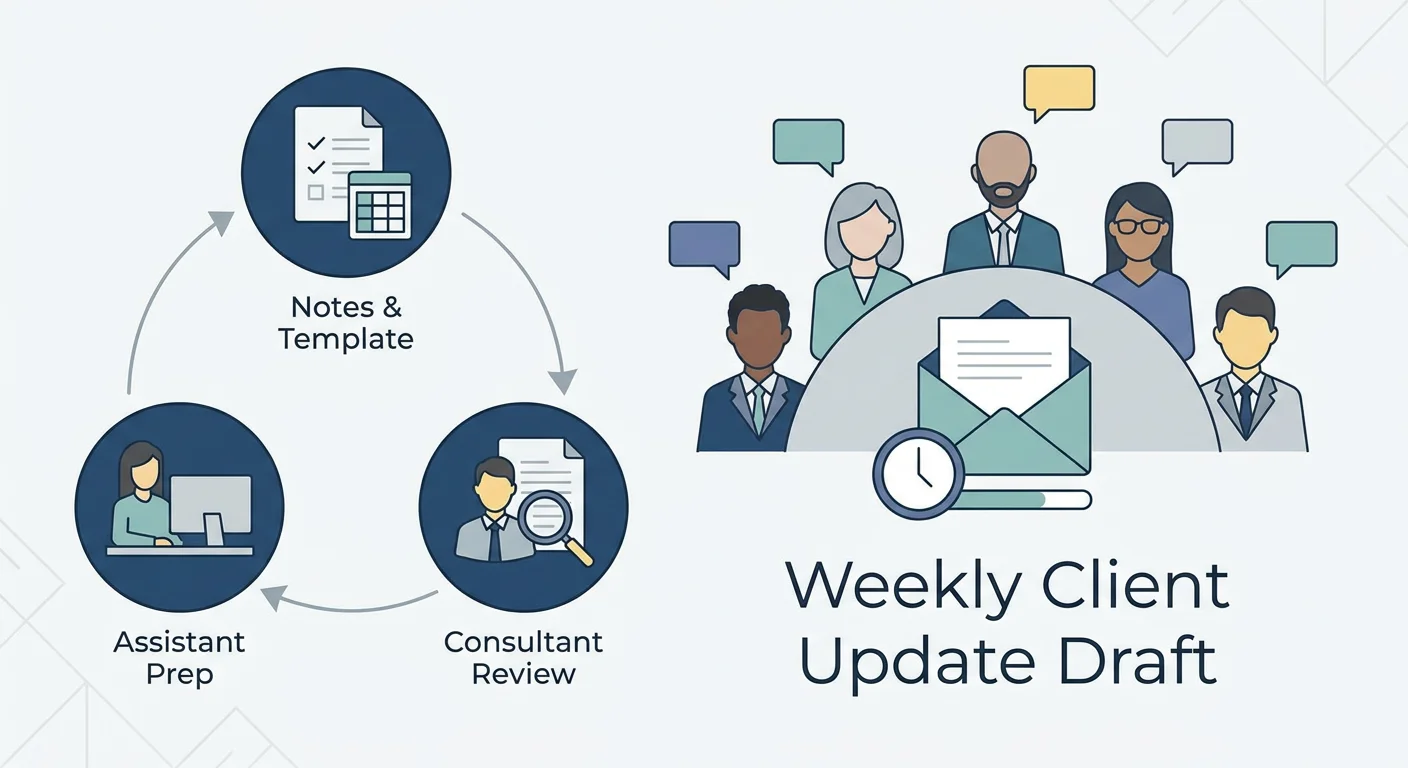
The draft must:
- Use only the approved sample material.
- Follow the team’s existing template.
- Identify missing information instead of inventing it.
- Avoid sending anything to a client automatically.
- Be understandable to a reviewer who did not create the workflow.
Run the same scenario in each product where supported. If a required connection or approval path is unavailable, record that limitation rather than changing the test quietly.
Observe More Than the First Answer
A convincing first output is not enough. Review whether the workflow handles incomplete information and whether the owner can explain what happened.
| Pilot Check | What Good Evidence Looks Like |
|---|---|
| Output quality | A reviewer can use the draft without correcting invented facts |
| Access | The assistant uses only the intended sample sources |
| Approval | The team can demonstrate the required human review before the relevant action |
| Failure | The owner can identify and respond to a failed or incomplete run |
| Cost | The team can observe enough usage information to estimate a typical month |
| Ownership | A named person can update instructions and remove access |
The NIST Generative AI Profile provides a broader framework for considering trustworthiness and risk throughout an AI system’s lifecycle. It is a useful reference, but your pilot should remain specific to your own work.
Agree on a Stop Condition
Before the pilot begins, decide what would make you pause it. Examples include access to unintended records, an unsupported approval requirement or outputs that repeatedly invent important facts.
A stop condition makes the evaluation fairer. It also prevents a team from overlooking a serious problem because the product is otherwise convenient.
Key Takeaways
- LaunchLemonade and Lindy support different starting points for small-team AI work.
- Compare real workflows, not just feature lists or integration counts.
- Check plan-level approval, access and audit requirements before buying.
- Model seats and usage together, and do not assume credits are equivalent.
- Use the same safe scenario and mandatory requirements for both pilots.
- Reject either option if it cannot meet your data or governance needs.
Conclusion
The right answer to LaunchLemonade vs Lindy depends on the work your team needs to complete and the controls it cannot compromise. Start with a repeatable task, identify the data and actions involved, then test both products against the same criteria.
If configurable agents and team governance are priorities, book a LaunchLemonade demo and bring your workflow, seat and approval questions. Confirm current pricing and availability before making a decision.
Frequently Asked Questions
Is LaunchLemonade or Lindy better for a small team?
LaunchLemonade may suit teams building configurable agents and structured workflows. Lindy may suit teams prioritising Slack and connected routines. The better choice depends on your specific requirements and pilot results.
How much do the two platforms cost?
LaunchLemonade’s knowledge base lists Team pricing with a five-seat minimum, but current pricing should be checked. Lindy lists Team from $29.99 per active user per month as of November 2026. Required plan features and usage can change the total.
Can either product automate recurring work?
LaunchLemonade’s knowledge base describes scheduled and event-triggered workflows. Lindy documents scheduled and event-triggered routines. Confirm that your chosen plan and integrations support the exact task.
Do both products offer human approvals?
LaunchLemonade’s knowledge base describes action approvals on Team and Enterprise. Lindy documents approvals and integration guardrails, but their scope depends on the surface and settings. Demonstrate the exact action before relying on either approach.
Which option is better for audit logs?
LaunchLemonade’s knowledge base describes audit trails on Pro and above, with a Team admin access log. Lindy lists audit logs under Enterprise. Compare the recorded events, access and retention before deciding.
Who should not use LaunchLemonade for a workflow?
LaunchLemonade is not suitable for workflows requiring special-category personal data, including health data, under its described terms. A team below the Team seat minimum should also assess whether that commitment makes sense.
What are the alternatives if neither product fits?
Alternatives include another AI assistant, a dedicated automation product or a documented manual process. The right alternative depends on your required integrations, data restrictions and review process. Evaluate the same mandatory criteria before switching.
Can a small team compare the products without committing?
LaunchLemonade’s knowledge base describes a permanent Free plan. Lindy lists a time-limited free-credit offer. Check current trial terms and avoid using sensitive information in a pilot.